Hey, we’re online and here to help you anytime! You’re one step closer to building a stunning mobile app for your e-commerce store. Get on a call with us to see Vajro in action.
Hey, we’re online and here to help you anytime! You’re one step closer to building a stunning mobile app for your e-commerce store. Get on a call with us to see Vajro in action.
Mobile shopping now happens primarily on smartphones, through installed apps rather than mobile browsers.
An app creates a stronger experience because it preserves context. It remembers accounts, carries browsing and purchase history forward, and uses push notifications to reconnect customers at high-intent moments.
That shift is making more Shopify brands towards an app-first approach. A native mobile app extends your online store into a channel designed for continuity, loyalty, and repeat purchases. Each session builds on the last one instead of starting from zero.
This guide explains what it actually means to turn your Shopify store into a mobile app, how the process works step by step, and how to set it up for long-term success.
What “turning your Shopify store into an app” really means
Turning your Shopify store into a mobile app is about creating a dedicated, immersive brand environment designed specifically for mobile shopping. A native app allows store owners to deliver a personalized experience that adapts to each shopper’s behaviour, preferences, and purchase history across iOS and Android.
Here’s what happens when you turn your Shopify store into a custom mobile app:
It extends your owned channel stack
Your Shopify store already powers your online store, customer accounts, product catalogue, and lifecycle automation. A mobile app connects directly to that same data and keeps it active between sessions.
Installed on a customer’s home screen, the app opens instantly and loads personalized content based on real-time Shopify data. It displays saved products, recently viewed items, loyalty points, and active rewards the moment the user enters.
Mobile app push notifications deliver launch alerts, back-in-stock updates, and replenishment reminders tied to actual browsing and purchase behaviour. In-app banners update automatically when a collection unlocks for a VIP shopper or a limited drop goes live.
Instead of starting fresh with every visit, the customer resumes exactly where they left off.
It allows context and identity to accumulate
A native mobile app remembers more than a browser session. It carries forward browsing history, saved products, cart state, loyalty tier, and previous purchases.
Each returning visit builds on the last one. That continuity supports repeat purchases, stronger customer engagement, and measurable improvements in conversion rates and AOV.
It changes how mobile performance compounds
A mobile website loads through a browser and resets context when the session ends. A native app stays installed, opens instantly, and delivers functionality designed for smartphones. This shift affects:
Load speed and responsiveness
App design and touch-based navigation
Push notifications triggered by real-time behaviour
In-app automation and lifecycle control
Turning your Shopify store into a mobile app creates an infrastructure that compounds behaviour over time, strengthening customer retention and long-term revenue.
How to turn your Shopify store into a mobile app
Turning a Shopify store into a native mobile app is a structural shift. It affects how customer accounts persist, how push notifications drive action, and how repeat purchases accumulate across iOS and Android.
The process works best when it follows a clear sequence:
Step 1: Decide whether your store is ready for a mobile app
A mobile app helps your brand grow when repeat behaviour already exists. Before selecting a Shopify mobile app builder or planning app store submission, evaluate how customers currently interact with your brand.
Some signals that your store is ready for an app are:
Repeat purchase behaviour is visible in your data: Customers return without needing constant reacquisition. Purchase frequency shows upward movement, even if gradual.
Email and SMS engagement remain strong but plateau over time: Open rates and click-through rates stabilise, indicating your owned channels have reached consistent but predictable performance.
You run launches, drops, or replenishment cycles: Scheduled product releases, limited collections, and restocks create natural moments for push notifications and in-app visibility.
High-value or VIP customer segments are identifiable: Your Shopify backend clearly shows top cohorts based on AOV, frequency, or loyalty status.
These signals indicate that retention, customer engagement, and LTV are becoming central growth levers. In contrast, you shouldn’t turn your Shopify store into a mobile app if:
Product-market fit is still forming, and repeat purchases remain inconsistent.
Revenue depends heavily on paid traffic without meaningful returning customers.
Customers complete one-time purchases without clear reasons to return.
A Shopify store with stable repeat behaviour benefits most from evolving into a native mobile app. When that foundation exists, the app becomes a channel that compounds relationships instead of simply extending your online store onto smartphones.
Step 2: Choose how you want to build your Shopify mobile app
The build approach shapes your app design, functionality, lifecycle control, and long-term optimization. It determines how quickly you can iterate, how deeply the app connects to Shopify’s APIs, and how much ownership you retain over customer engagement.
At a high level, there are two technical paths:
1. Native mobile apps
Native apps are built specifically for iOS and Android (or using cross-platform frameworks that compile to native code). They connect directly to Shopify’s APIs and can deliver full app-store functionality, deeper performance optimization, and advanced push capabilities.
Most modern Shopify mobile app platforms fall into this category.
Native apps typically support:
Real-time inventory and pricing sync
Deeper push notification logic
App-store distribution on iOS and Android
Faster load times than mobile web
More advanced personalization tied to customer accounts
Where platforms differ is in how the app is structured and optimized.
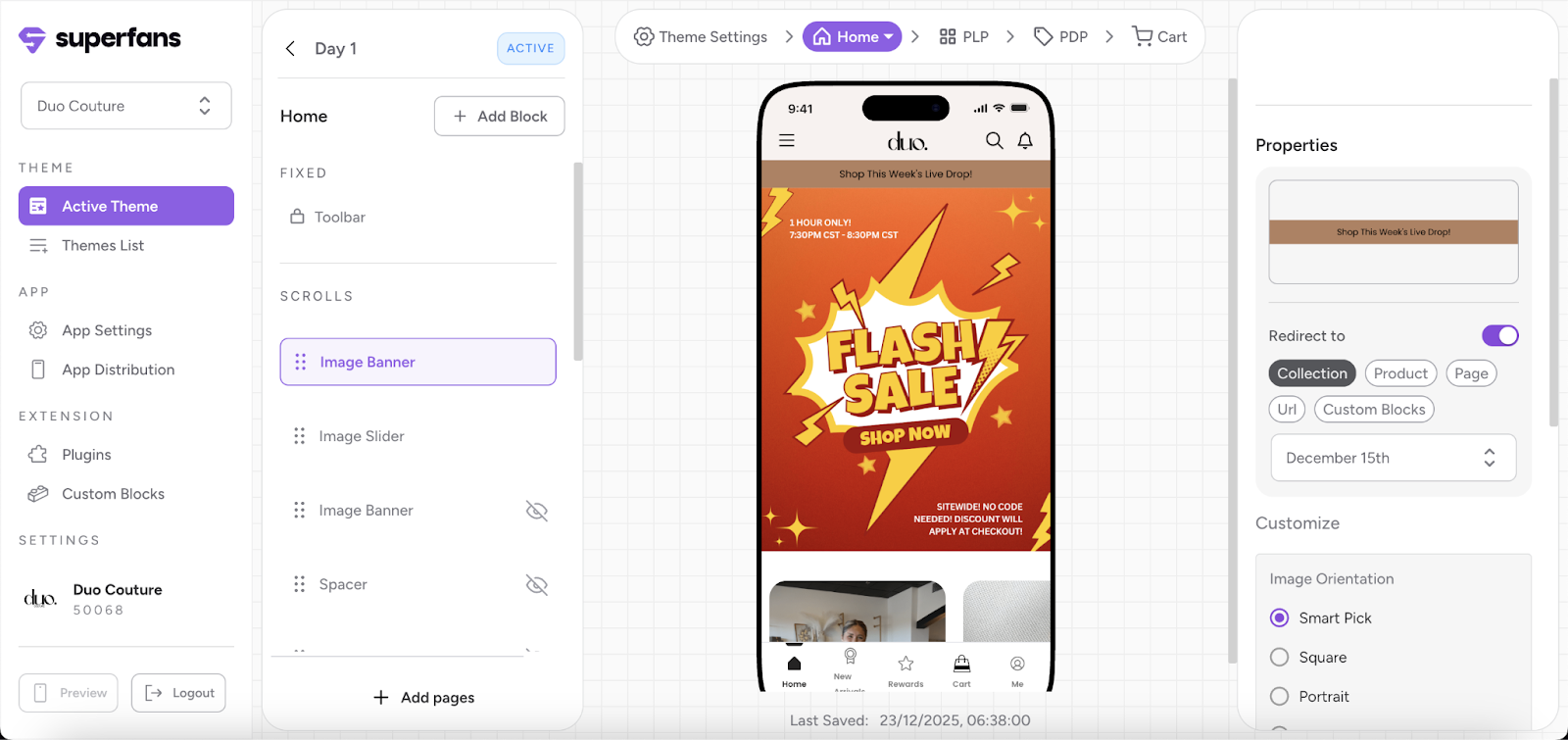
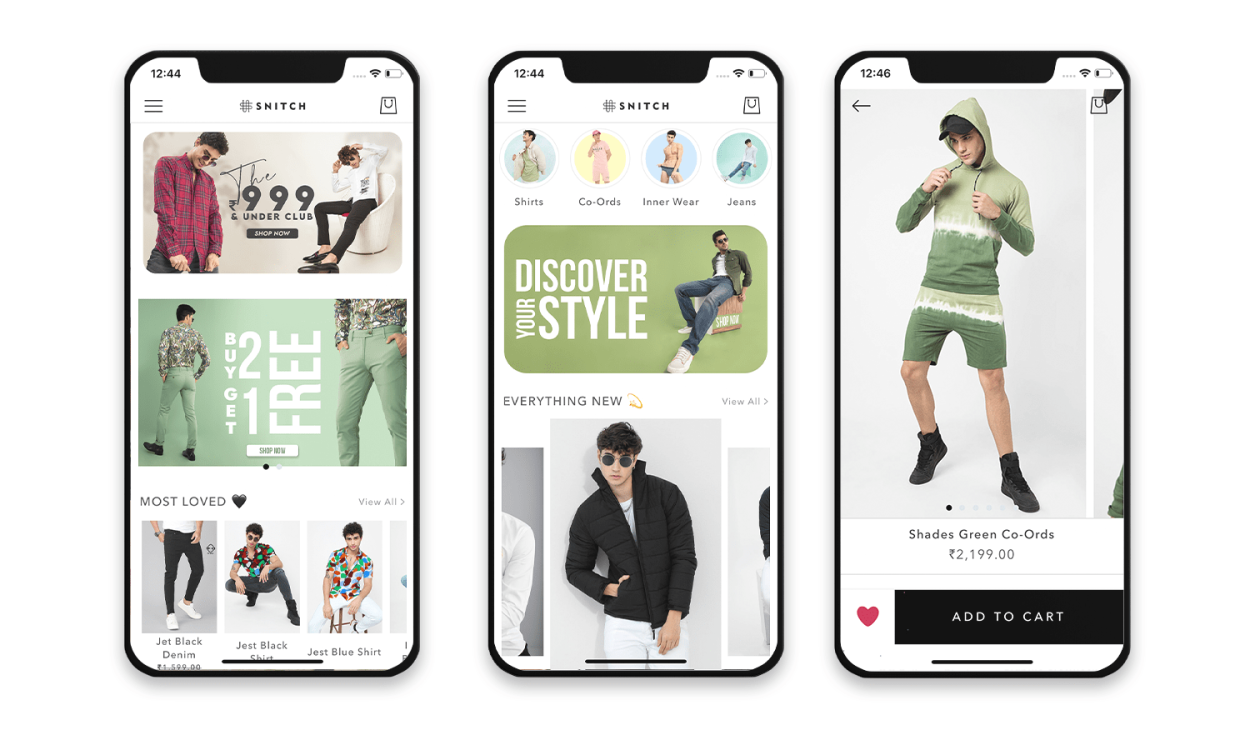
Some native app builders primarily mirror your storefront with templates and drag-and-drop layouts, focusing on speed of launch and visual parity with your website.
Others structure the app around retention mechanics (launch access, loyalty visibility, VIP cohorts, behavior-driven push flows), offering deeper lifecycle control and segmentation.
Platforms like Superfans.io fall into this second category. They let brands set up native apps designed as retention infrastructure, centering on launches, loyalty, and lifecycle engagement.
3. PWA or Webview wrapper apps
PWA (Progressive Web App) or Webview solutions wrap your existing mobile website inside an app container.
Instead of rebuilding the experience natively, the app loads your storefront in a browser-like environment and publishes it to the App Store and Google Play.
They are faster to set up, maintain design consistency with your website, and have lower development effort. However, compared to fully native apps, they are slower, have limited offline capabilities, and offer limited immersive and differentiated experiences.
This approach works best for brands that want an app presence without restructuring their retention strategy.
Choosing the right build
When choosing your build path, focus on what supports long-term growth:
Real-time Shopify sync across products, variants, and inventory
Push notifications tied to lifecycle behaviour
Control over app design and user experience
Ability to iterate without heavy developer dependency
Transparent pricing that supports scaling
The right Shopify mobile app builder should align with how your customers buy and how your team plans to drive repeat behavior.
Once your build approach is clear, the next step is to connect Shopify data so that customer context carries forward inside the app.
Step 3: Connect your Shopify data to your app
A mobile app becomes powerful when it carries your store data forward without friction. The quality of this integration determines how well the app supports retention, personalization, and lifecycle automation.
Here’s a step-by-step guide to connect your Shopify data to your mobile app:
1. Sync products, collections, and inventory in real-time
Connect your app to Shopify’s APIs so that products, variants, pricing, and stock levels update automatically.
When inventory changes or a new collection launches, the mobile app should reflect it instantly. Real-time sync keeps your storefront, backend, and native app aligned and prevents pricing or availability mismatches.
2. Carry customer accounts and purchase history forward
Integrate customer accounts directly into the app. A returning shopper should see past orders, saved addresses, loyalty points, or tier status, and recently viewed products.
This continuity reduces friction and supports repeat purchases because customers resume where they left off.
3. Preserve cart state and browsing behaviour
Enable cross-session persistence. If a customer adds products to the cart on your Shopify website and later opens the app on their smartphone, those items should still be available. Browsing history and saved favourites should follow the same pattern.
This context continuity strengthens conversion rates and improves customer engagement over time.
4. Ensure backend and frontend stay connected
Your mobile app should function as an extension of your Shopify backend, not a disconnected webview layer. Deep integration allows real-time personalization, lifecycle-based automation, and accurate push notifications tied to behaviour.
Superfans.io manages this infrastructure by syncing data directly with Shopify, ensuring the app remains aligned with inventory, customer accounts, and merchandising logic.
When your customer data flows cleanly into the mobile app, every shopping session builds on the previous one. That accumulation forms the base of retention and long-term LTV growth.
Step 4: Design your app around repeat behaviour, not discovery
When a customer opens your app, it’s a return visit. The experience should build on prior behaviour instead of resetting the journey.
Design the app around the behavioural signals you already have (purchase history, browsing patterns, engagement frequency, and loyalty status) so each session helps the customer take the next step easily.
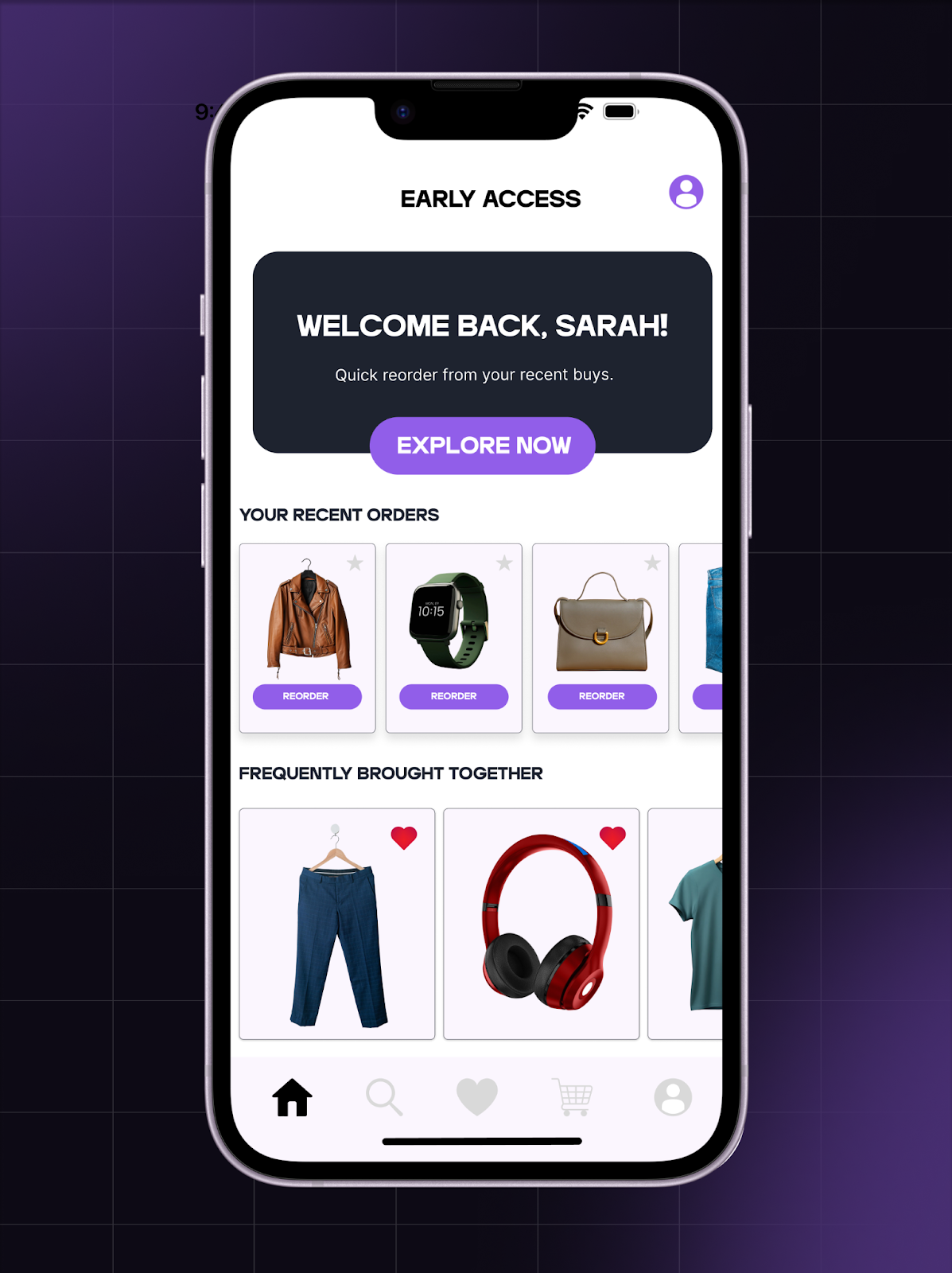
Surface quick reorders and favourites: Returning customers value speed. Prioritise recently purchased products, one-tap reorders, saved items, wishlists, and frequently bought collections. Make it easy for returning customers to pick up where they left off.
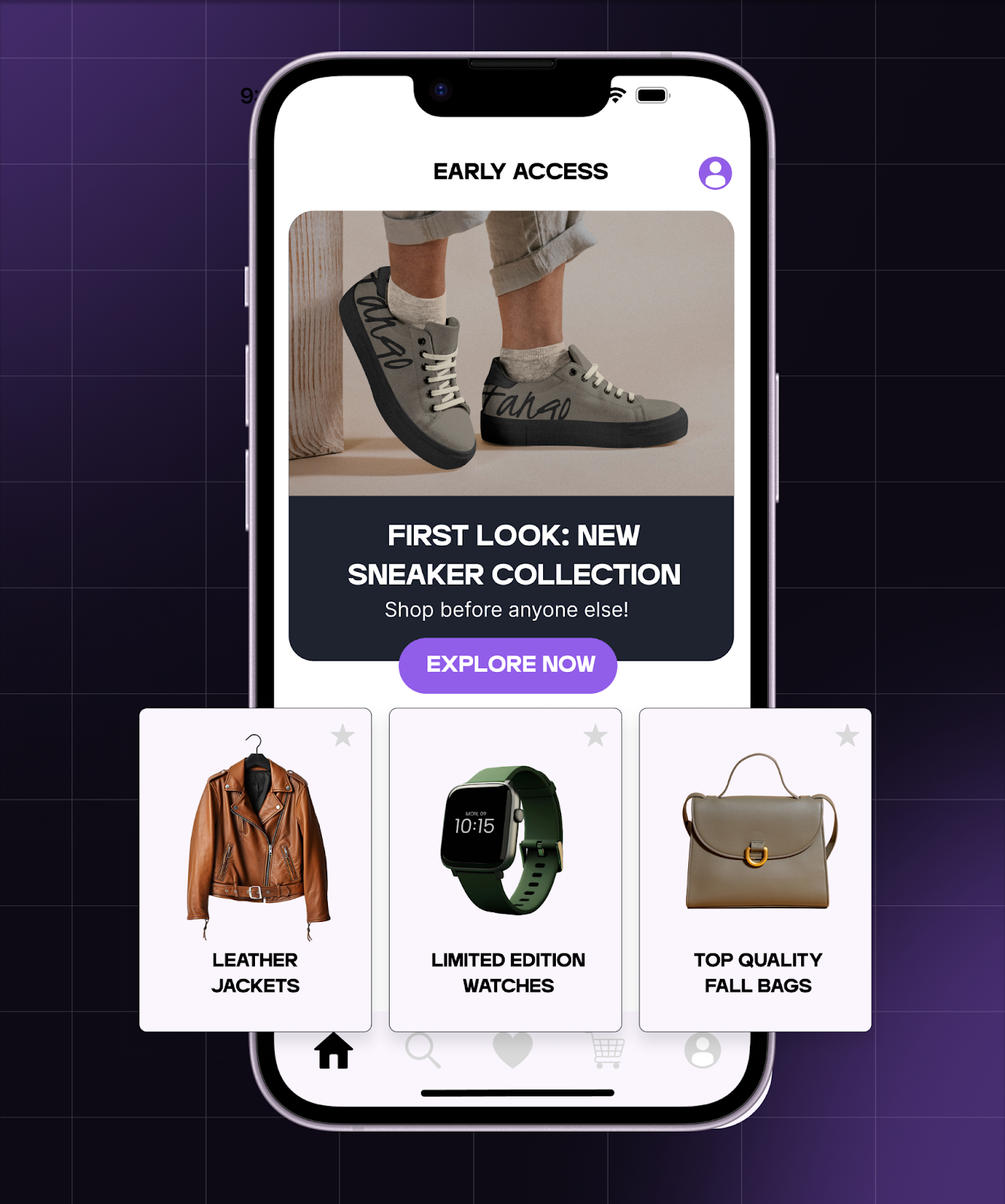
Highlight launches and drops prominently: If your store runs limited releases or seasonal drops, reflect that urgency on the home screen. Use countdowns, early-access collections, VIP-only categories, and gated drops tied to customer accounts.
Make loyalty status visible: Surface loyalty points, tier status, reward eligibility, and access indicators inside the app. Keep progress and benefits clearly visible within the experience.
Guide the next action clearly: Every returning session should offer a next step. This might include completing an abandoned cart, unlocking a reward, accessing a back-in-stock product, and exploring a personalised collection.
Designing around repeat behaviour transforms the app from a browsing channel into a retention infrastructure. Over time, this structure increases purchase frequency, AOV, and long-term LTV.
Step 5: Set up push notifications as lifecycle triggers
Push notifications become powerful when they respond to behaviour. Inside a native mobile app, push notifications work best as a lifecycle signal tied to real activity in your Shopify store.
Start by mapping push campaigns to customer intent rather than campaigns.
1. Connect push campaigns to launch and early access moments
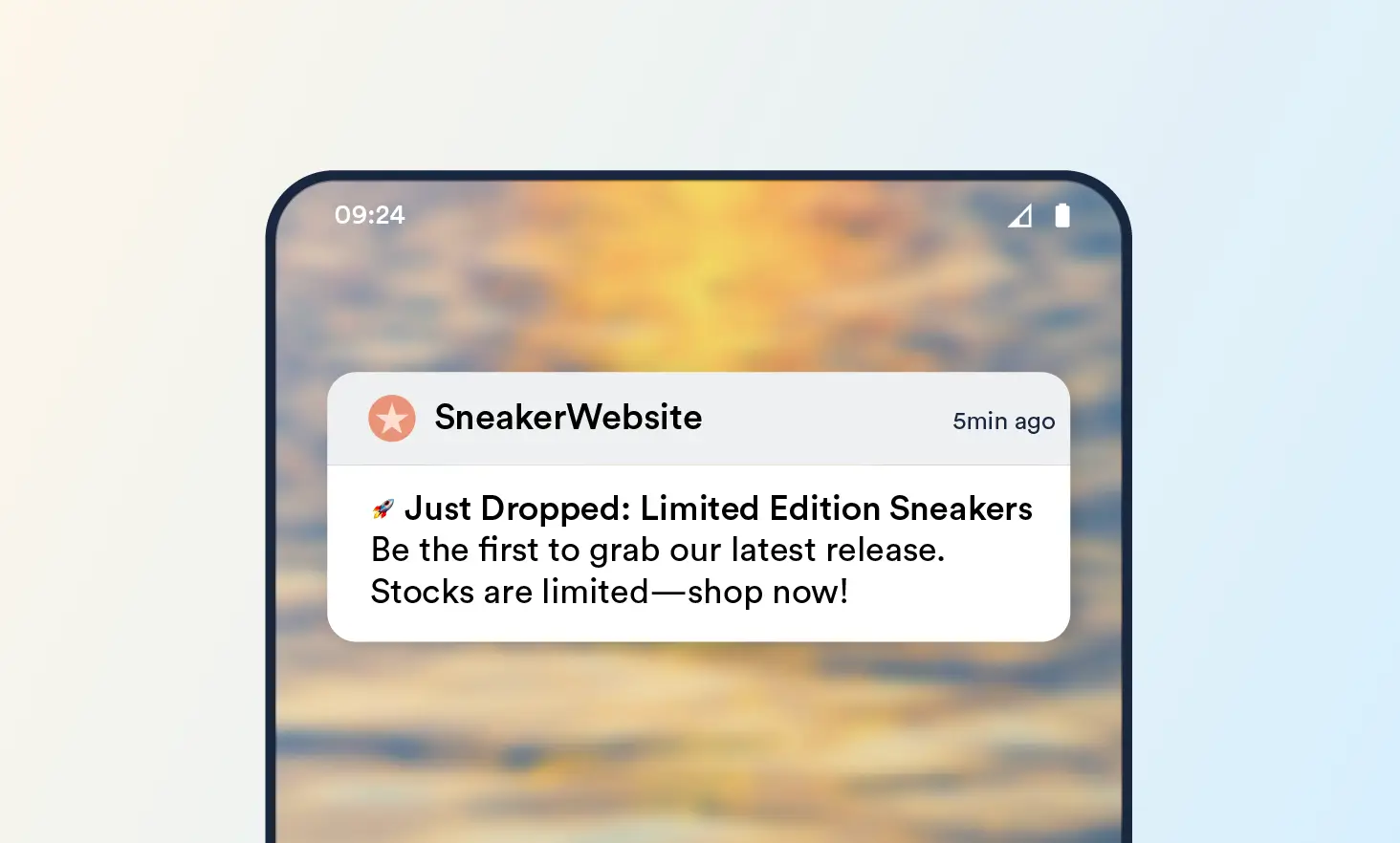
If you run launches or limited drops, configure push notifications to activate based on a segment. Some examples are:
VIP customers receive early-access alerts before general release.
Shoppers who viewed a collection receive a reminder when it goes live.
Customers who joined a waitlist receive a direct link to the product page inside the app.
This approach aligns push campaigns with relevant urgency, increasing conversion rates during high-intent windows.
2. Trigger back-in-stock and replenishment reminders
Use purchase history and browsing data to automate reminders. For example:
A product previously viewed returns to inventory.
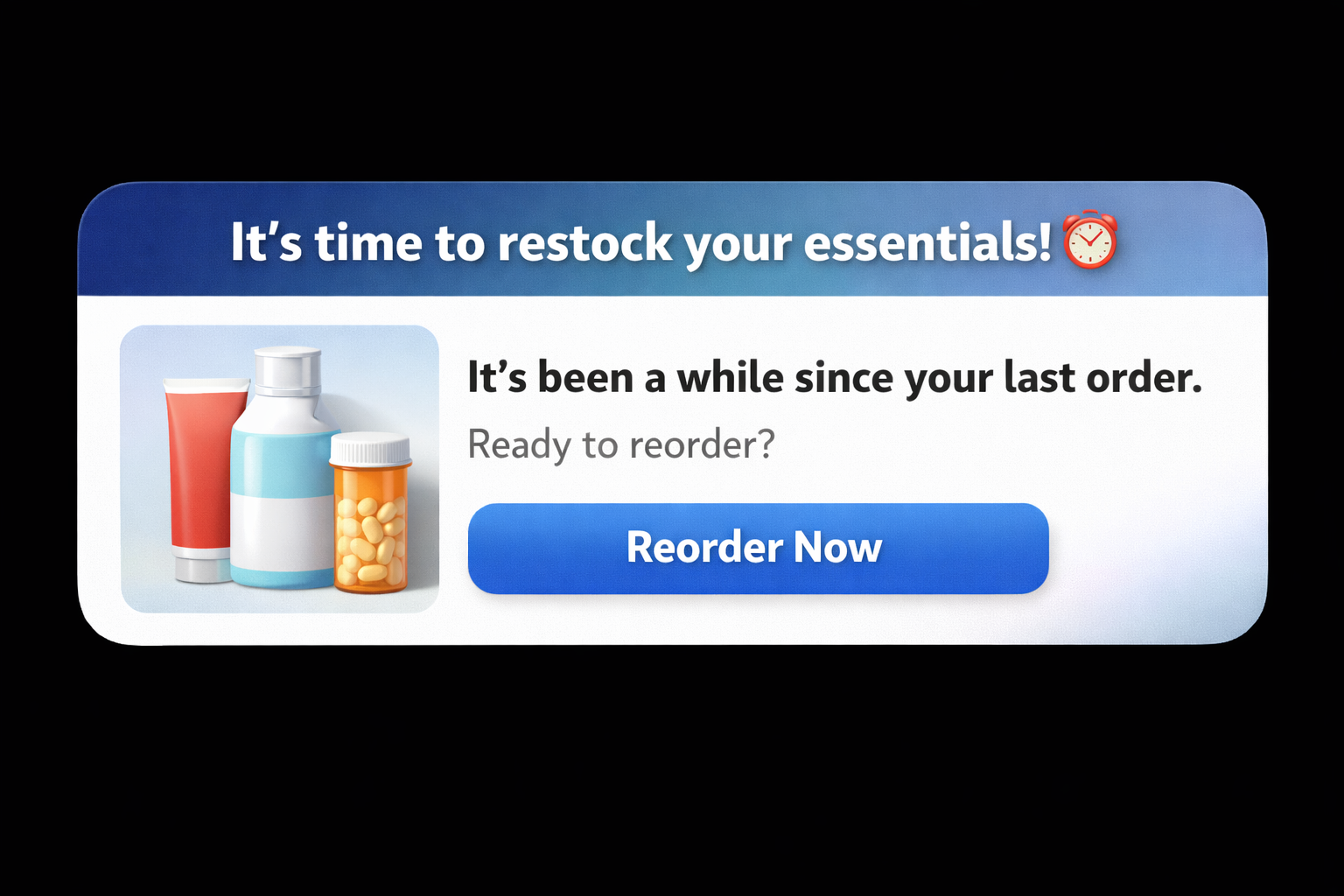
A consumable product reaches a typical repurchase cycle.
A size or variant becomes available again.
These notifications feel relevant because they connect directly to prior behaviour.
3. Reinforce loyalty milestones and VIP access
Push notifications also support customer loyalty. Notify shoppers when they unlock a new tier, rewards become redeemable, or a gated collection becomes available to their segment.
When loyalty visibility pairs with timely push notifications, customer engagement increases across sessions.
4. Align push campaigns with in-app context
Push notifications perform best when the app environment supports them. Each notification should deep-link to a relevant in-app page, reflect real-time inventory and pricing, and match the customer’s account status.
This coordination between push notifications and in-app functionality strengthens retention and drives measurable revenue impact.
Within an app-first retention layer, push notifications become part of a connected system. It activates at the right moment, directs customers to a personalised environment, and supports repeat behaviour across smartphones.
Step 6: Publish and launch your mobile app
Publishing your Shopify mobile app formalises the shift from project to growth channel. This step includes technical submission, positioning, and an early adoption strategy across iOS and Android.
1. Complete app store submission for iOS and Android
Prepare your native app for review in the iOS App Store and Google Play Store. This includes:
App name and description aligned with your brand
Screenshots that reflect real in-app functionality
Privacy disclosures and account permissions
Clear explanation of login and customer account usage
Most Shopify mobile app builder platforms like Superfans.io guide this process, handling packaging, compliance checks, and version updates. Once approved, your iOS and Android app become discoverable to customers searching directly for your brand.
2. Set clear expectations at launch
Launch messaging shapes early behaviour. Communicate what the app offers beyond the mobile website— early-access benefits, app-only drops, loyalty visibility, exclusive rewards, faster checkout and saved preferences.
This clarity increases install intent among high-value customers.
3. Drive installs from high-intent touchpoints
Early adoption performs best when install prompts appear during moments of engagement, like post-purchase confirmation pages, email flows tied to launches, SMS alerts for VIP access, and on-site banners for logged-in customers.
These moments convert because customers already have context and intent.
4. Focus on the quality of installs
Total installs matter less than engaged installs. Monitor the install-to-login rate, install-to-first-purchase rate, and repeat sessions within the first 30 days. When early users return consistently, the app gains behavioural momentum. That foundation supports stronger retention and higher LTV over time.
Publishing the app places it on phone screens. Launch strategy determines how it integrates into your customers’ buying routine.
Step 7: Measure success beyond installs and opens
Installs show distribution. Opens show activity. Long-term impact shows up in behaviour and revenue. Once your Shopify store is live as a native app on iOS and Android, focus on metrics that reflect retention and growth and use them to optimize your app experience.
1. Track app-engaged LTV
Measure lifetime value for customers who install and actively use the app. Compare purchase frequency, average order value (AOV), and revenue per customer. If the app influences behaviour effectively, app-engaged customers will show higher LTV over time.
2. Monitor purchase frequency lift
Look at how often app users buy compared to web-only customers. A strong mobile app increases repeat purchases and participation in launches and drops, and shortens the time between orders.
Frequency growth signals that the app has become part of the customer’s buying routine.
3. Analyse repeat session behaviour
Review how often users return to the app after installation. Track sessions per user, days active within the first 30, 60, and 90 days, and interaction with push notifications and in-app banners.
Segment customers by install date or acquisition source and monitor retention over time. High-performing mobile apps show stable retention among top cohorts, higher revenue contribution from repeat users, and strong participation in loyalty programs.
Common mistakes that brands make when turning Shopify into an app
A mobile app drives results when it changes how customers interact with your brand. Here are a few execution gaps that reduce impact and slow down retention growth:
Structuring the app like a website
A Shopify store is built for discovery. A mobile app should be built for return visits. When the app mirrors a storefront grid, customers browse as if it’s their first time.
High-performing apps redesign the home screen around repeat behaviour: quick reorders, saved products, loyalty status, early-access banners, and personalized collections pulled in real-time through Shopify’s APIs.
That shift increases repeat purchases and lifts conversion rates because the app anticipates intent.
Sending push notifications without context
Push notifications generate results when they align with behaviour and timing. Back-in-stock alerts tied to previously viewed items, replenishment reminders based on purchase cycles, and VIP launch access for high-value customer accounts create meaningful engagement.
Trigger-based automation within the app increases relevance and strengthens long-term customer loyalty. Consistency in targeting improves open rates and drives measurable revenue from in-app actions.
Launching without a built-in return pattern
An app sustains value when customers know exactly why they should open it. Brands that schedule regular drops, loyalty unlocks, gated collections, or limited releases train customers to check the home screen icon with intent.
Each event reinforces the habit. Over time, that rhythm increases session depth, strengthens retention, and grows AOV among engaged cohorts.
Evaluating success through surface metrics
Installs show distribution and opens show activity but neither explain long-term impact.
Measure what reflects behaviour over time. App-engaged LTV, purchase frequency lift, cohort retention, and revenue attributed to push notifications reveal how the mobile app influences the business.
When store owners measure these indicators, the Shopify mobile app becomes a performance asset embedded in their ecommerce strategy rather than an isolated channel experiment.
How Superfans.io helps Shopify brands build retention-first mobile apps
Retention strengthens when mobile infrastructure aligns with how customers actually buy. Platforms like Superfans.io support this approach by helping Shopify brands design native mobile apps as long-term retention infrastructure rather than surface-level storefront extension.
Here’s how that plays out:
Shopify-native, real-time app infrastructure
Superfans.io connects directly to Shopify’s APIs, syncing products, collections, variants, inventory, and customer accounts in real-time. Pricing changes reflect instantly. Loyalty tiers update dynamically. Cart state and browsing behaviour carry forward across sessions on iOS and Android.
That infrastructure allows store owners to operate their mobile app as an extension of their Shopify store, without fragmented data between frontend and backend systems.
App-led launches, loyalty visibility, and VIP access
High-performing ecommerce brands drive growth through launches and loyalty.
Superfans.io enables app-led launch orchestration, including segment-specific early access, gated collections, dynamic home-screen updates, and VIP-only drops. Loyalty points, rewards, and tier status remain visible inside the app, reinforcing customer identity and encouraging repeat purchases.
This structure transforms launches into recurring engagement moments that increase session depth and strengthen customer loyalty over time.
Lifecycle-aware push and in-app experiences
Push notifications perform best when tied to behaviour.
Superfans.io supports lifecycle-aware automation, including back-in-stock alerts, replenishment reminders, launch access notifications, and milestone-based loyalty messages. In-app banners and personalized blocks adapt in real-time based on customer activity.
This precision increases customer engagement and drives revenue through relevant in-app interactions rather than volume-based messaging.
Predictable pricing that supports scale
Sustainable growth requires financial predictability. Superfans.io operates on a flat-fee pricing model that includes full functionality, customization options, and ongoing customer support.
Store owners can forecast CAC:LTV with clarity as revenue grows, while investing in repeat purchases, retention optimization, and long-term mobile app development without variable scaling costs.
Set up a mobile app as a growth lever
Having a native mobile app for your brand is a powerful strategy to drive repeat purchases. The app lives on the home screen, carries customer identity forward, and supports launches, loyalty visibility, and behaviour-based push notifications across iOS and Android.
Each session builds on the last, strengthening retention, increasing repeat purchases, and lifting LTV over time. This requires more than just publishing to the iOS App Store or Google Play Store. It requires an app designed around launches, loyalty visibility, and lifecycle behaviour from day one.
Superfans.io is a no-code app builder that helps Shopify brands turn their store into a native mobile app built specifically for retention. Real-time Shopify sync, behaviour-based push notifications, and coordinated launch execution work together to create momentum that compounds over time.
Book a demo to see how your Shopify store can evolve into a mobile app designed for long-term growth.
Thank you! Your submission has been received!
Oops! Something went wrong while submitting the form.
This is some text inside of a div block.
"Looking for creative push notification ideas? Check out our free templates and start customizing!"




.png)






.png)
.png)